Capture website enquiries automatically
Send quotes clients approve online
Get paid faster with reminders
Requests, approvals and history
Shared calendar for the whole team
Photos, notes and sign-off on site
Weekly and monthly service plans
Inspections, issues and costs
Clock in/out with GPS, night shifts
See who is on site right now
Salary, hourly pay and deductions
Chat with staff and clients
Homes, offices and move-outs
Contracts, sites and night crews
Routes, ladders and repeat visits
Quotes by room, photos before/after
Driveways, decks and exteriors
Recurring visits and crews
Site checks, crews and clean-up
Seasonal contracts and call-outs
Weekly routes and checklists
Route-based recurring service
Installs, repairs and maintenance
Call-outs, quotes and invoices
Jobs, photos and sign-off
Site surveys to install day
Diagnose, quote and fix on site
Installs and service visits
Quotes, crews and progress photos
Inspections, quotes and repairs
Installs and emergency repairs
Fast call-outs and invoicing
Small jobs, fast quotes
Multi-site upkeep and tenants
Crews, trucks and time on site
Same-day jobs and payments
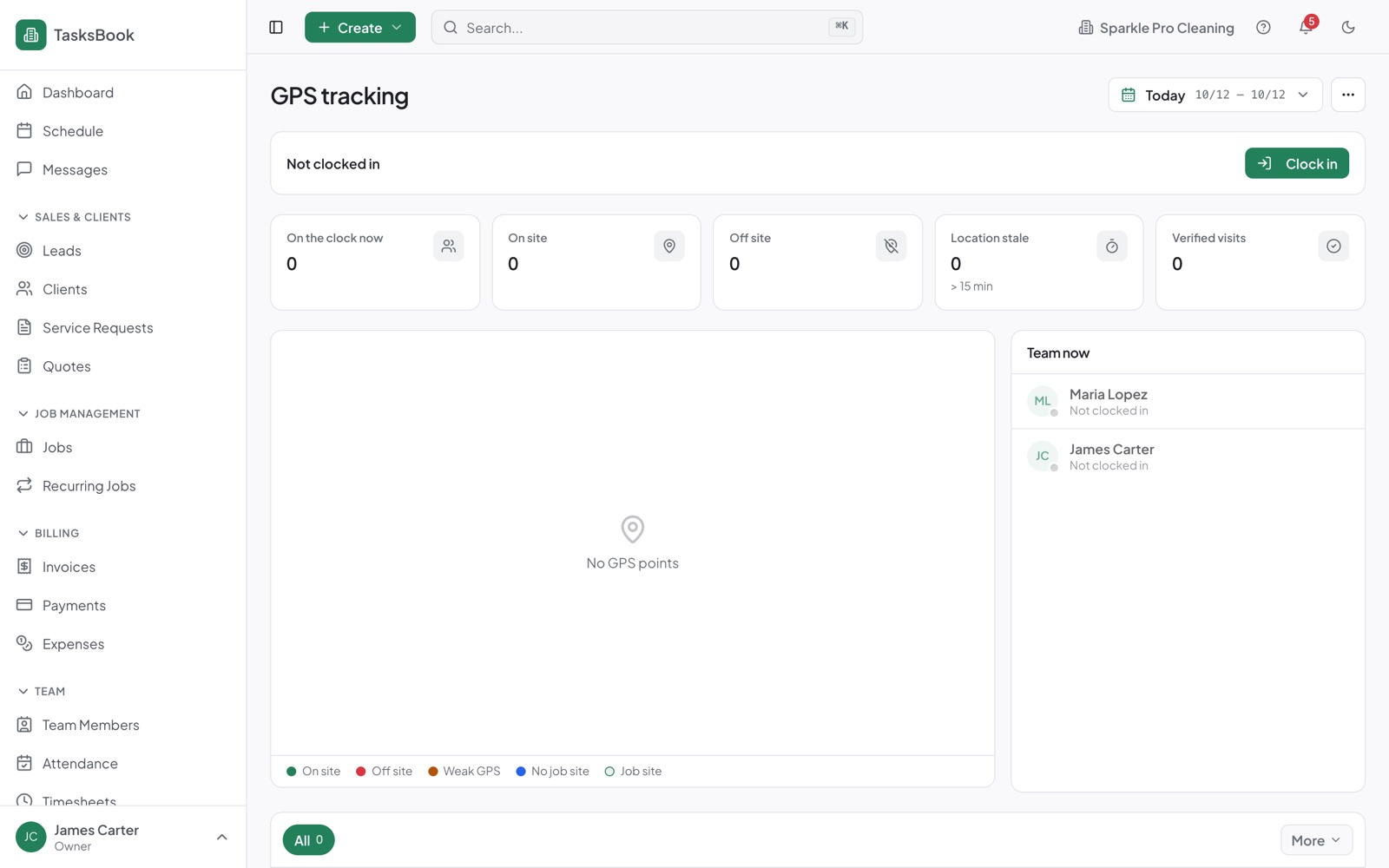
See where clocked-in staff are, check the location behind every clock-in and clock-out, and review the route history on each timesheet.
See clocked-in staff and their last location.
Location captured when staff clock in or out.
Pings during the shift shown on the timesheet map.
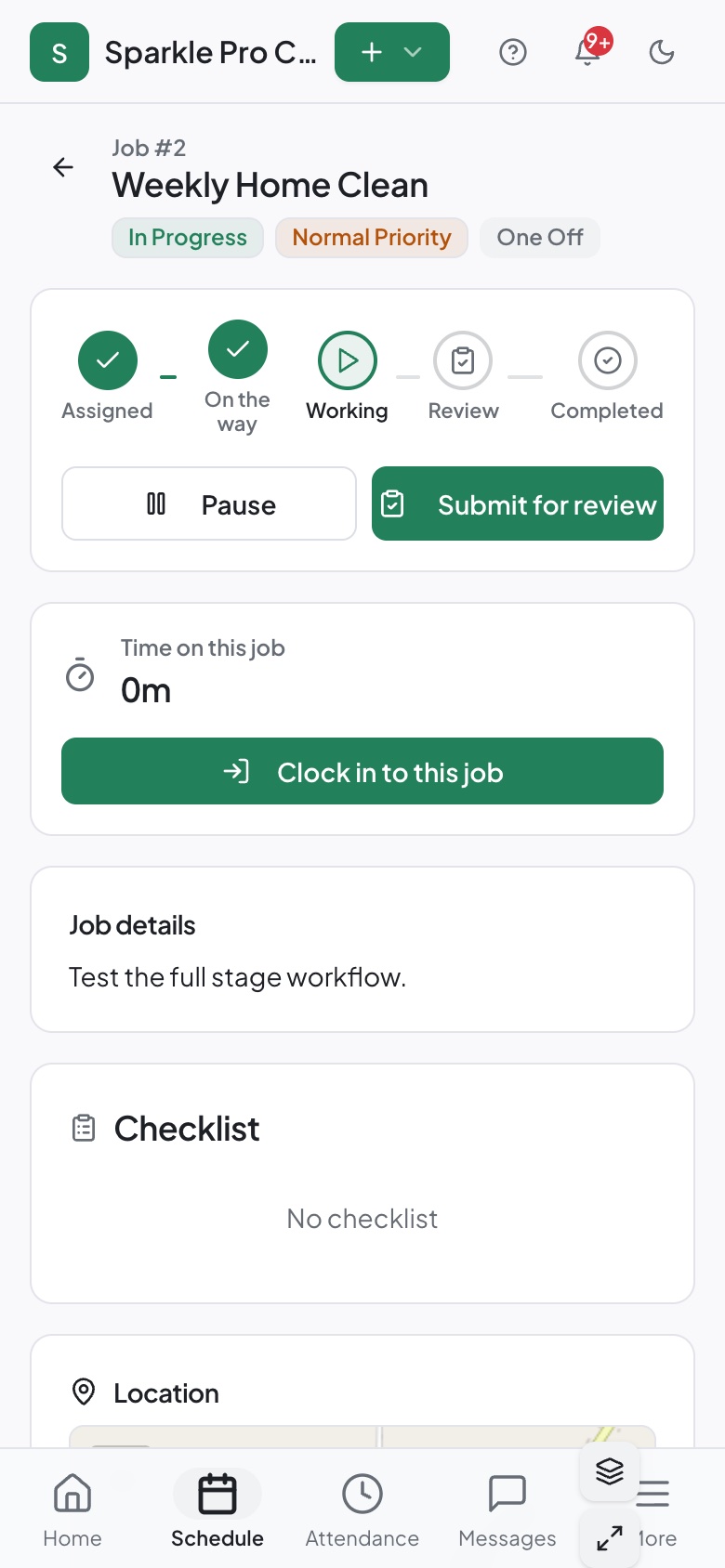
Status and location when a worker heads to a job.
GPS required, optional or off — per company.
Excuse specific people from GPS checks.
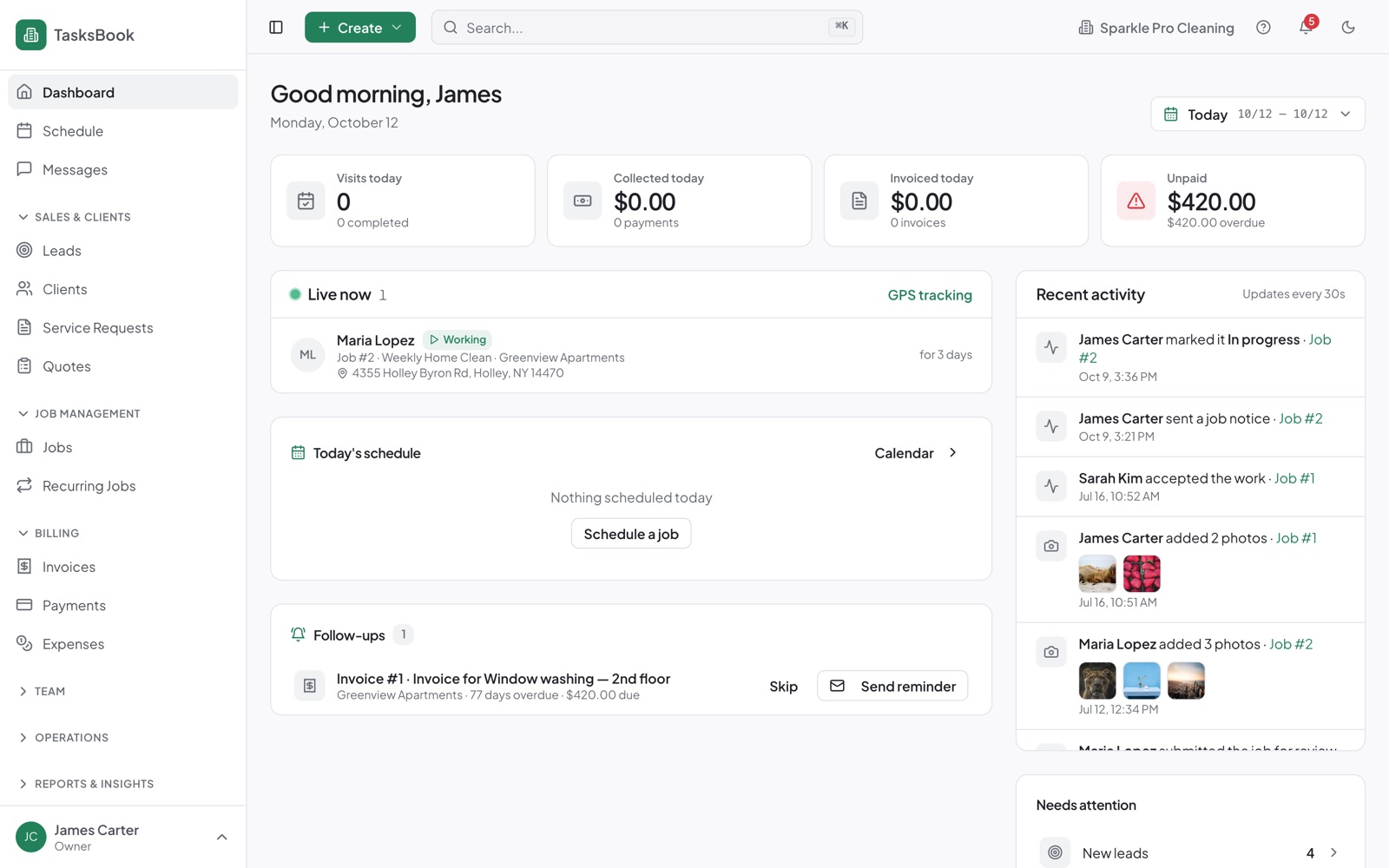
See who is working, on which job and where — right on the dashboard, with a link to the GPS view.
The worker’s job screen shows the address and directions, and GPS is recorded when they start working.
No credit card — add your business, services and prices.
Staff join by email and get their own worker portal.
It's connected to everything else from day one.
Clock in and out with GPS, including night shifts.
A shared calendar for the office and the field.
Checklists, photos, notes and sign-off on site.
No. Location is recorded around clock-in, clock-out and job start, plus optional pings during a shift if you enable them.
Workers see their own clock-ins and timesheets.
Yes, for the whole company or for specific people.
No credit card or payment details. Set up and invite your team in minutes.