Invoice the moment the job is done
Turn completed jobs into invoices, record payments and tips, and chase overdue balances with one-click reminders.
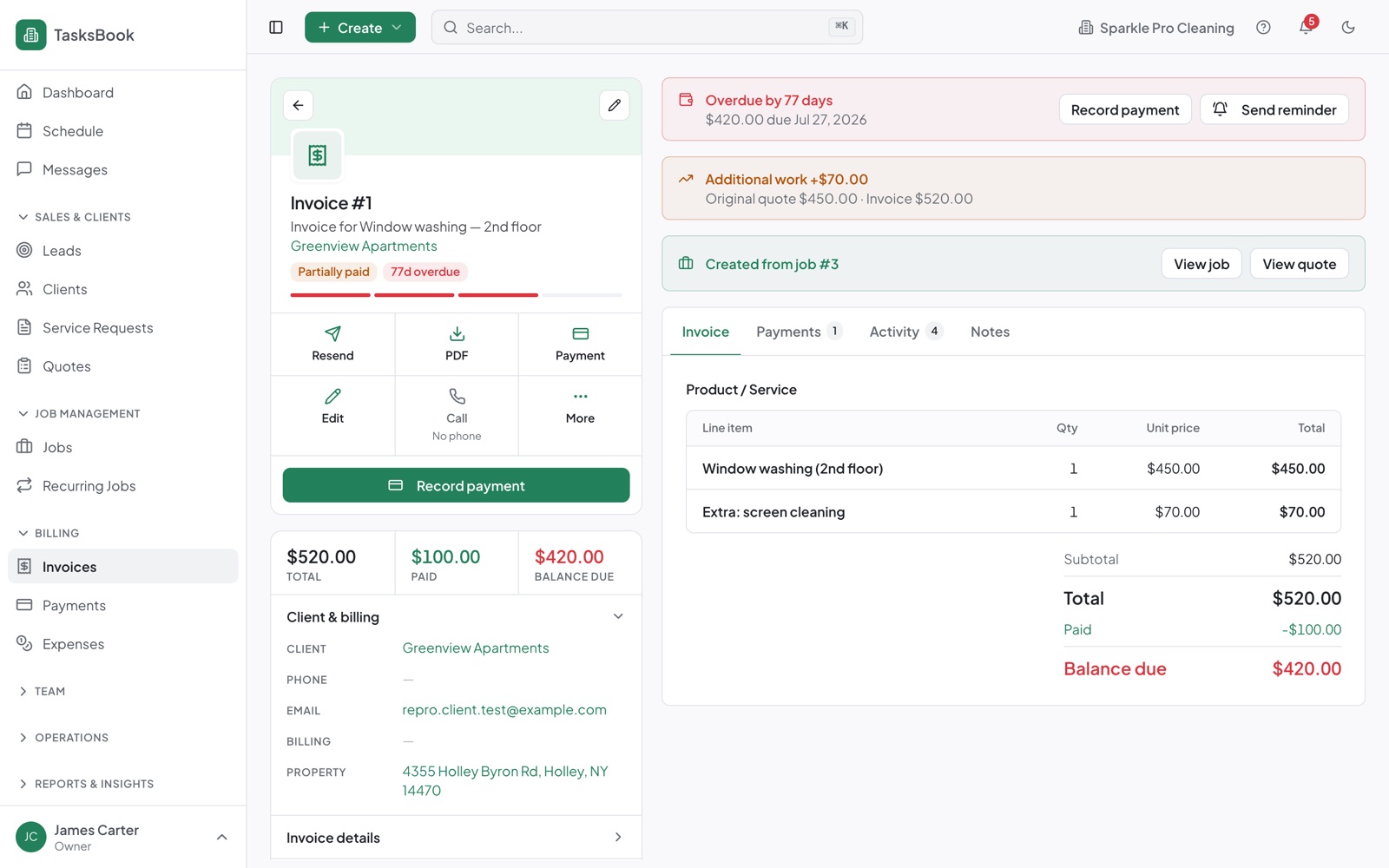
Invoices & payments that just works
From job to invoice
Line items and client details come straight from the job.
Email & PDF
Send branded invoices and download PDFs any time.
Record payments
Cash, card or transfer — with partial payments and tips.
Overdue reminders
See who owes what and send a reminder in one click.
Additional work
Add extra work after the quote and the total updates.
Cash-flow view
Collected, invoiced and unpaid totals for any period.
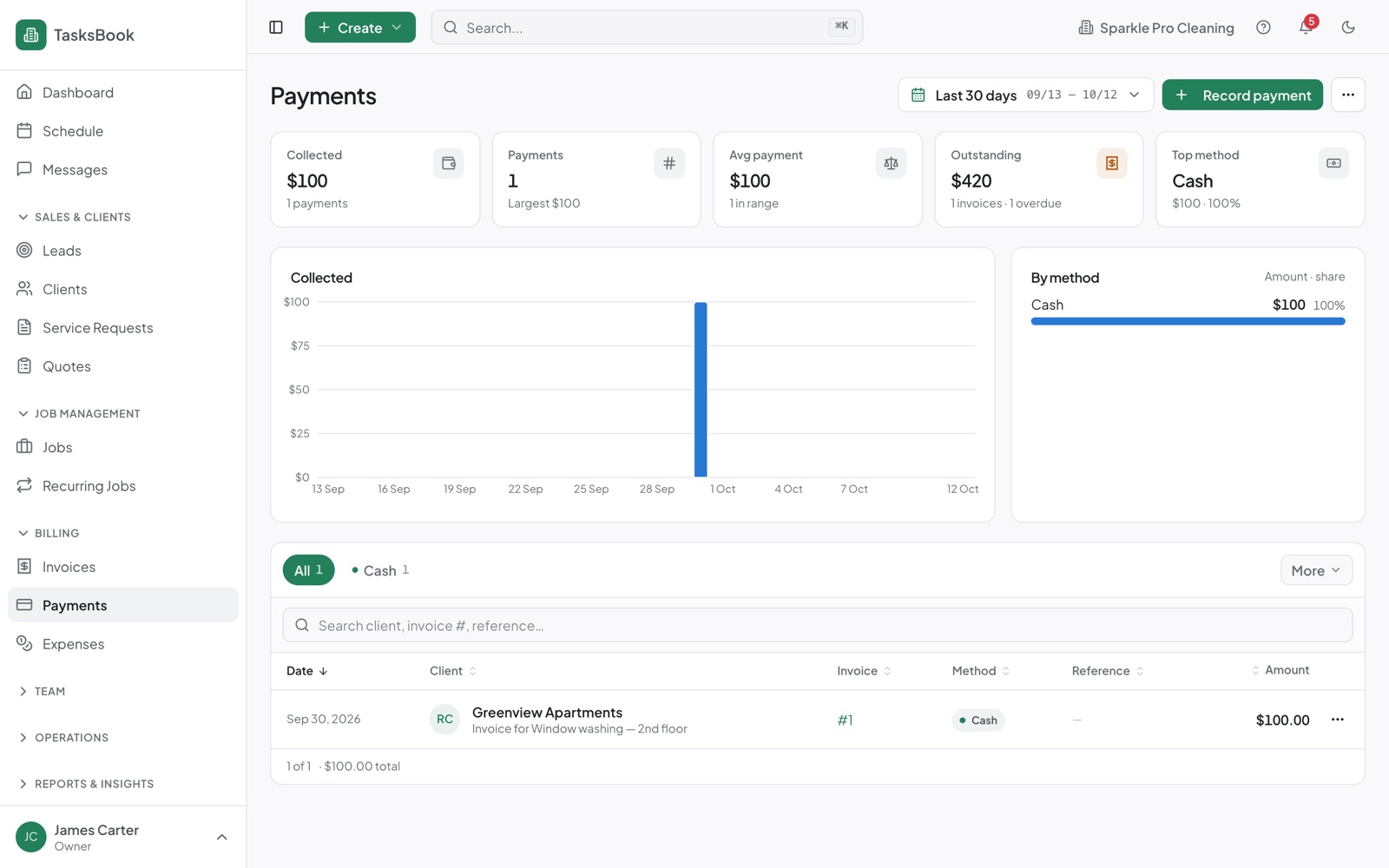
Every payment, recorded
Record cash, card or transfer payments and see what came in over any period, by method.
- Payments list with totals and trends
- Partial payments and tips
- Linked to the invoice and client
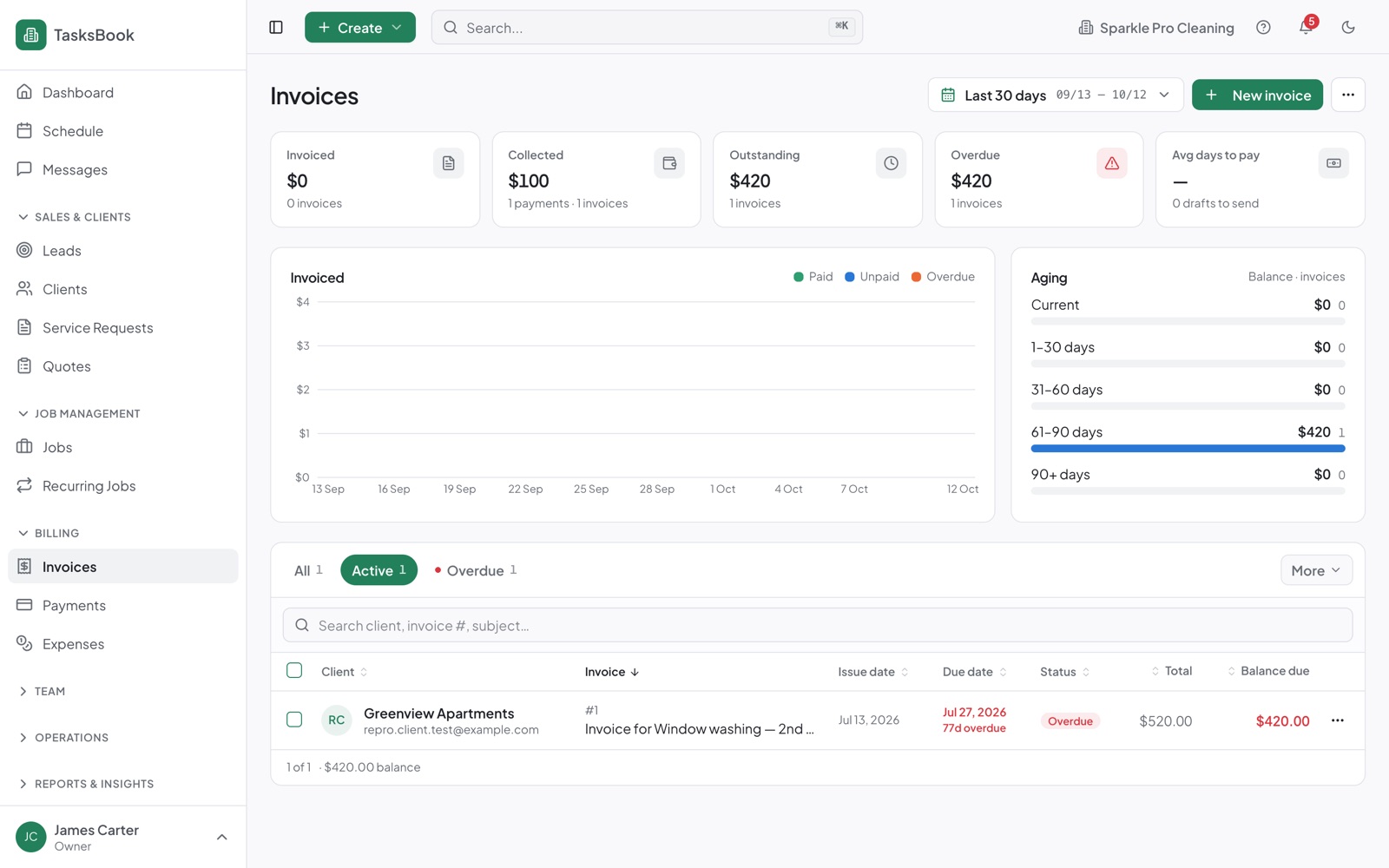
Know what's unpaid
The invoices list and dashboard show overdue balances first, so following up takes seconds.
- Ageing of unpaid invoices
- Send reminders from the list
- Export to CSV for your accountant
Three steps to get going
1. Create your free account
No credit card — add your business, services and prices.
2. Invite your team
Staff join by email and get their own worker portal.
3. Start using invoices & payments
It's connected to everything else from day one.
Works even better together
Quotes
Send quotes clients approve online.
Client portal
Requests, approvals, visits and invoices for clients.
Payroll
Salary or hourly pay with leave and deductions.
Common questions
Yes. Record as many payments as you need; the balance and status update automatically.
Tips recorded with a payment are shared with the workers on that job in the next pay run.
Yes, in the client portal, together with their quotes and upcoming visits.
Try it with your own business — free
No credit card or payment details. Set up and invite your team in minutes.